What is a Computer? (Simple Definition for Students)
A common question many learners ask is what is computer and why it is so important today. A computer is an electronic device that helps people store, organize, and work with information. It can perform many tasks quickly, which makes it useful for students, teachers, and professionals.
The basic idea behind a computer is data processing. It takes raw data, processes it using instructions, and then gives meaningful results. This helps people solve problems, calculate numbers, write documents, and manage information efficiently.
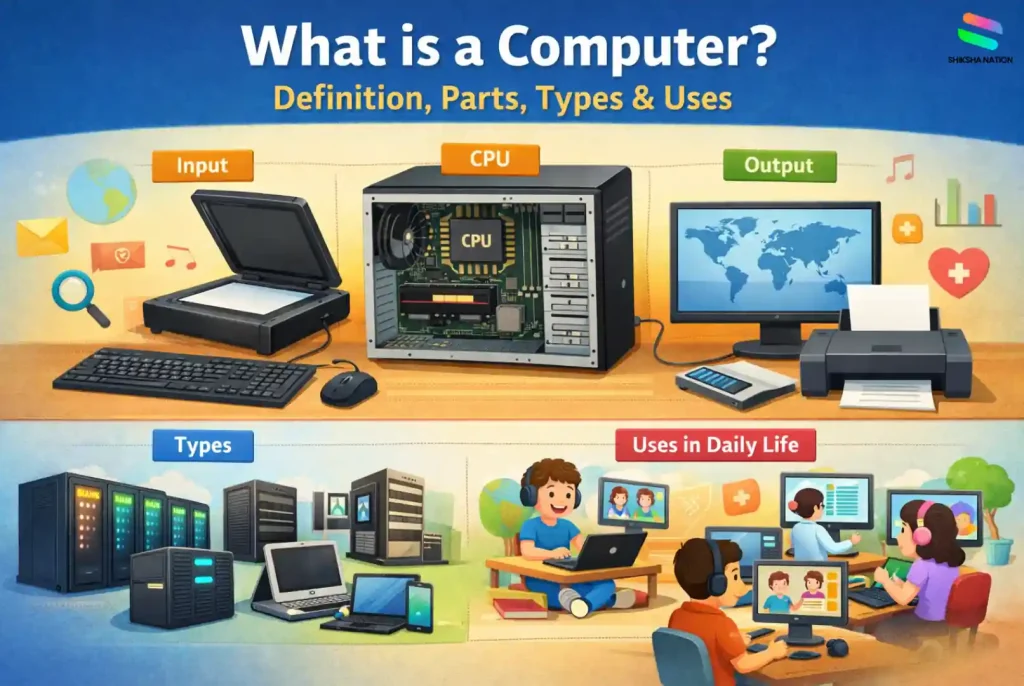
A computer works through three simple steps: input, processing, and output. Students enter information using input devices like a keyboard or mouse. The computer processes the data inside the system, and then the result appears as output on the screen or printer.
Computer Definition in Simple Words
The computer definition can be explained in a very simple way for students. A computer is an electronic device that receives data, processes it using instructions, and provides useful results. This process of handling information is called data processing.
For example, when a student types numbers into a calculator program, the computer processes those numbers and shows the answer on the screen. This simple example helps us understand what is computer and how it works in everyday learning.
Full Form of Computer
Many students often search for the full form of computer while studying basic computer lessons. In schools, a commonly taught expansion is C.O.M.P.U.T.E.R – Common Operating Machine Purposely Used for Technological and Educational Research. This version is widely used in learning materials to help students remember the concept easily.
However, it is important to understand that this is not an official technical expansion used by scientists or engineers. It is mainly a teaching method used in classrooms to explain how a computer supports learning and technology.
In simple terms, a computer system is a machine designed to process information and assist people in different tasks such as studying, communicating, and managing digital data.
Meaning of Each Word in the Full Form
The words used in the full form of computer explain the basic idea behind how a computer system works in everyday learning and technology.
Common refers to something widely used by people in many fields.
Operating Machine means a device that performs tasks based on instructions.
Purposely Used shows that computers are designed to solve specific problems.
The last part highlights Technological and Educational Research, which reflects how computers help students explore information, learn new skills, and complete digital tasks in school and daily life.
Who is the Father of Computer?
Many students often ask who is the father of computer while learning about basic computer history. The title is given to Charles Babbage, an English mathematician and inventor from the 19th century.
He designed one of the earliest concepts of a machine that could perform calculations automatically. Although his machine was not fully built during his lifetime, his ideas later influenced the development of modern computers.
For this reason, Charles Babbage is widely recognised in textbooks and academic studies as the pioneer of computer design.
Why Charles Babbage is Called the Father of Computer
Charles Babbage is called the father of computer because he designed a machine known as the Analytical Engine. This design included many important features that are also used in modern computers.
Some key reasons include:
- He proposed a machine that could perform automatic calculations
- His design included memory, processing, and control mechanisms
- His ideas laid the foundation for modern computing technology
These innovations helped shape the basic principles used in computers today.
Characteristics of a Computer
The characteristics of computer explain why computers are useful in education, workplaces, and daily activities. These features make a computer system reliable for handling different types of work, from solving calculations to running various computer applications.
Speed
One of the most important characteristics of a computer is its speed. A computer can perform millions of calculations in a very short time. This helps students complete complex tasks like mathematical calculations or data analysis quickly.
Accuracy
Computers are known for their high level of accuracy. When correct instructions and data are provided, the results produced by the system are highly reliable. This makes computers useful in fields like banking, education, and scientific research.
Storage Capacity
A computer can store a large amount of information in its memory. Students can save notes, assignments, and learning materials inside the computer system and access them whenever needed.
Automation
Another important feature is automation. Once a task or program is started, the computer can complete the process automatically without constant human guidance.
Versatility
Computers are versatile machines because they can perform many different tasks. From educational computer applications to communication and entertainment, a computer can support multiple activities for students and families.
Also Read : Shortcut Keys of Computer
Main Parts of a Computer System
A computer system works through several important computer components that perform different tasks together. These parts of computer are mainly related to computer hardware, which means the physical devices we can see and touch.
Each part plays a specific role in handling information. Some devices help users enter data, some process the information, and others display the final result. Understanding these parts helps students learn how computers actually work in real situations.
Input Devices
An input device is used to enter data or instructions into the computer. These devices allow students and users to interact with the system and give commands.
Common input devices include:
- Keyboard – Used to type text, numbers, and commands. Students often use it for writing assignments or searching information.
- Mouse – Helps users move the pointer, click icons, and open files easily.
- Scanner – Converts printed documents or images into digital form so they can be stored inside the computer.
These devices help the computer receive information before any processing begins.
Central Processing Unit (CPU)
The CPU is often called the brain of the computer. It is one of the most important computer components because it processes the data and controls all operations of the system.
When a user enters information, the CPU performs calculations and follows instructions from programs. It decides how the data should be handled and prepares the result for display.
Without the CPU, the computer hardware cannot perform any meaningful task.
Output Devices
An output device shows the result after the computer finishes processing the data. These devices help users understand the information produced by the system.
Examples of output devices include:
- Monitor – Displays text, images, and videos on the screen. Students read lessons or watch educational content here.
- Printer – Produces a printed copy of documents, assignments, or reports.
These devices allow users to see or receive the final output created by the computer.
Types of Computer
Computers can be classified into different categories based on their size, power, and purpose. Understanding these types of computer helps students know how different machines are used in various fields such as science, banking, education, and research.
Each computer system is designed to handle specific tasks. Some computers are extremely powerful and used for scientific work, while others are small devices used at home, school, or offices.
Supercomputer
A supercomputer is the most powerful type of computer. It is designed to perform extremely complex calculations at very high speed.
These computers are usually used for:
- Weather forecasting
- Space research
- Scientific simulations
For example, research organisations and space agencies use supercomputers to study climate changes or space missions.
Mainframe Computer
A mainframe computer is a large and powerful computer system used by big organisations to manage huge amounts of data.
It is commonly used in:
- Banks
- Government departments
- Airlines
Mainframe computers can support thousands of users at the same time and handle many transactions together.
Minicomputer
A minicomputer is smaller than a mainframe but still powerful enough to support multiple users. It is often used in medium-sized organisations.
These computers are useful for:
- Industrial processes
- Data management
- Business operations
They act as a bridge between large enterprise systems and smaller personal computers.
Microcomputer
A microcomputer is the most common type of computer used by students and families. It is designed for individual users.
Examples students see daily include:
- Desktop computers
- Laptops
- Tablets
These computers help students study, create projects, access online learning platforms, and perform everyday digital tasks.
Uses of Computer in Daily Life
Today, computers are part of many activities around us. The uses of computer are not limited to offices or laboratories. From studying at home to managing services in cities, computers support many everyday tasks.
Understanding the uses of computer in daily life helps students see how technology works around them. Different computer applications are used in education, communication, healthcare, and many other fields.
Computers in Education
One of the most important areas where computers are used is learning. Computer in education helps students access information quickly and study in an interactive way.
Students use computers for:
- Online classes and digital lessons
- Research for school projects
- Creating presentations and assignments
Parents and teachers also use computers to track learning progress and share educational resources.
Computers in Communication
Computers have made communication faster and easier. People can send messages, share files, and attend online meetings from different locations.
Common communication uses include:
- Sending emails
- Video calls and online meetings
- Messaging through different platforms
These computer applications help students stay connected with teachers and classmates, especially during online learning.
Computers in Banking and Business
Banks and businesses depend heavily on computers to manage information and financial records.
Computers help in:
- Online banking services
- Maintaining customer records
- Managing transactions and accounts
This makes financial operations faster and more organised for both companies and customers.
Computers in Healthcare
Hospitals and medical centres use computers to manage patient information and support medical work.
For example:
- Storing patient records
- Scheduling appointments
- Supporting medical research and diagnosis
These computer applications help doctors and healthcare workers provide better services to patients.
Computers for Entertainment
Computers are also widely used for entertainment and relaxation. Many people use them during free time for different activities.
Some common examples include:
- Watching movies and videos
- Playing educational or recreational games
- Listening to music or exploring creative content
For students, computers can provide both learning and entertainment when used in a balanced way.
Importance of Computers for Students
Computers play an important role in modern learning. The use of computer in education helps students understand subjects better, access information quickly, and learn new skills needed for the future.
Many schools now include computer applications in their curriculum so that students become comfortable with technology from an early stage.
Computers support students in many ways, such as:
- Online learning – Students can attend virtual classes, watch educational videos, and access digital study materials from anywhere.
- Research and information search – Computers help students explore reliable sources, articles, and learning resources for better understanding of topics.
- Project preparation – Students use computers to create presentations, documents, charts, and reports for school assignments.
- Developing digital skills – Regular use of computers helps students learn typing, basic software tools, and responsible use of technology.
For parents and teachers, computers also help guide students toward organised learning and prepare them for a technology-driven world.
Conclusion
Computers have become an important part of modern life. From learning in classrooms to solving everyday problems, technology supports many activities around us. For students, understanding how computers work helps build confidence in using digital tools.
Instead of only memorising definitions, students should try to understand how technology is used in real situations. This approach makes learning more meaningful and practical.
Some simple learning steps students can follow:
- Explore basic computer tools and educational software
- Use technology responsibly for study and research
- Stay curious about how digital systems work
For parents and teachers, guiding students in the right way can help them develop useful skills for the future.
FAQ’s on Computer
Q. What is a computer in simple words?
A computer is an electronic machine that helps people work with information. It receives data, processes it according to instructions, and produces useful results. Students commonly use computers for studying, writing assignments, and searching for information.
Q. What is the basic definition of a computer?
In simple terms, a computer is an electronic device that takes input, processes the data, and provides output. This process allows users to perform tasks such as calculations, document creation, and information storage.
Q. What are the main parts of a computer?
The main parts of a computer include input devices, the central processing unit (CPU), and output devices. Input devices help enter information, the CPU processes the data, and output devices display the results to the user.
Q. What are the different types of computers?
Computers are generally classified into four main types: supercomputers, mainframe computers, minicomputers, and microcomputers. Each type is designed for different purposes depending on its size, power, and use.
Q. What are some common uses of computers in daily life?
Computers are used in many everyday activities such as studying, communicating, banking, healthcare services, and entertainment. Students also use computers for online classes, research, and preparing school projects.
Q. Why are computers important for students?
Computers help students access learning resources, prepare assignments, and develop digital skills. They also support online education, research, and creative activities like presentations and reports.
Q. Who is known as the father of computer?
Charles Babbage is known as the father of computer. He designed the Analytical Engine, an early concept of a machine that could perform calculations automatically. His ideas later influenced modern computer development.
Q. What is the difference between hardware and software?
Hardware refers to the physical parts of a computer that we can see and touch, such as the keyboard, monitor, and CPU. Software refers to programs and applications that run on the computer and help it perform tasks.
Q. How are computers used in education today?
Computers support modern learning by providing access to digital textbooks, online classes, educational videos, and research materials. They also help students create projects, presentations, and assignments more efficiently.